

Tags and keywords
We start our introduction to Ports with an Internal Block Diagram (IBD) with a single Port symbol on the boundary of the diagram frame, which frame represents the boundary of a Block between itself and its environment:
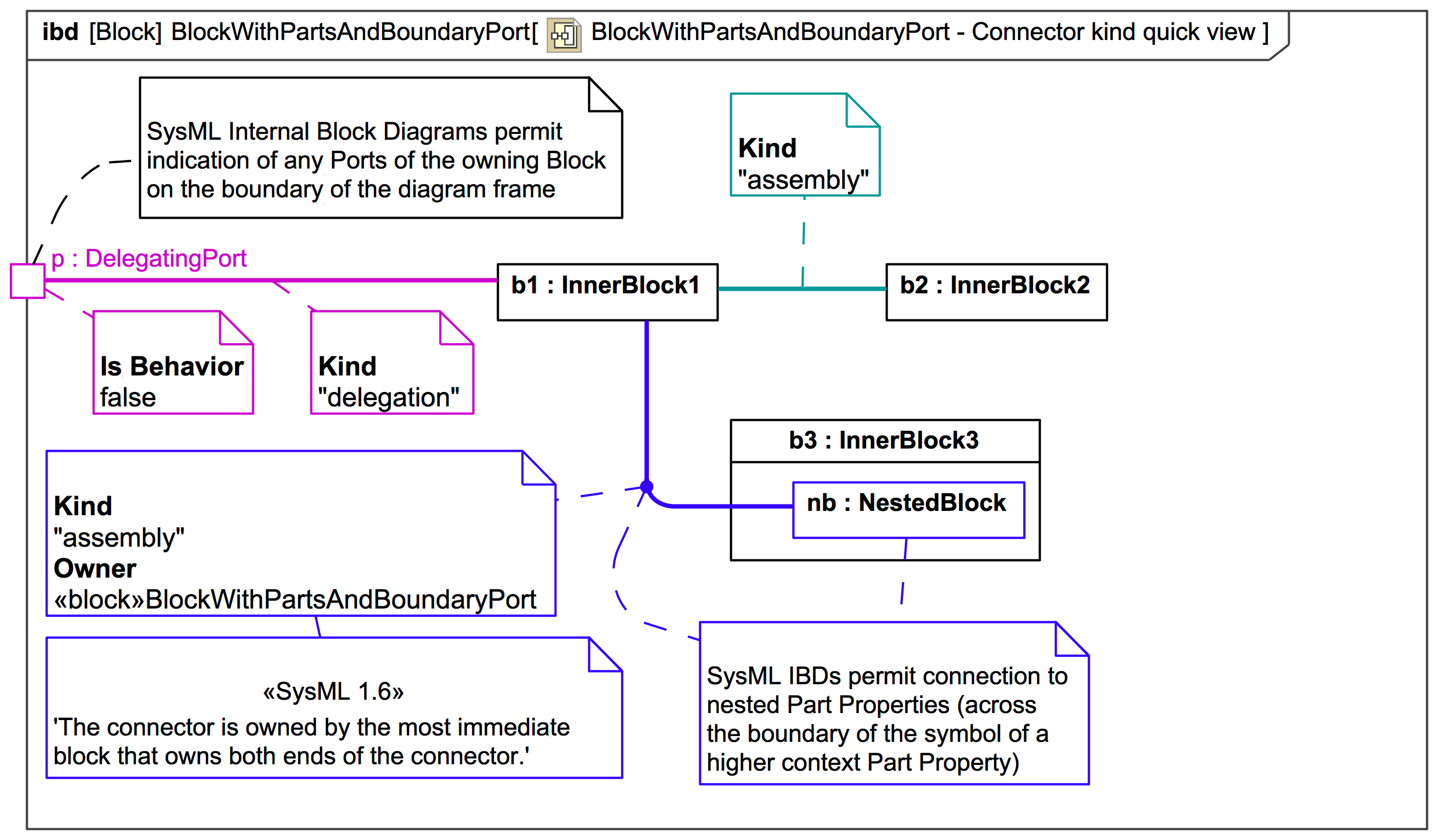
At this stage, we are only looking at types of connections made directly to from a boundary Port to part properties of the owning Block (we'll see later that owned properties of a Block may also have Ports if they are typed by a Block that has Ports).
A Connector from a boundary Port to an inner Property - such as from p:DelegatingPort to b1:InnerBlock1 - is of kind delegation,
UML-2.5.1: 'A delegation Connector is a Connector that links a Port to a role within the owning EncapsulatedClassifier. It represents the forwarding of requests (Operation invocations and Signals). A request that arrives at a Port that has a delegation Connector to one or more Properties or Ports on Properties will be passed on to those targets for handling.'
In SysML, the sense of delegation is far broader, and can involve data, information, material, energy (or anything else that can flow) or anything that can be provided or required.
A Connector from an inner Property to another inner Property - such as from b1:InnerBlock1 to b2:InnerBlock2 - is of kind assembly.
One of the nicest extensions of SysML over UML is the ability to connect across boundaries to inner Properties of Properties, such as from b1:InnerBlock1 to nb:NestedBlock across the boundary of b3:InnerBlock3:
isBehavior false, which just means it does not delegate to the owning block itself:
SysML has an additional special kind of connector called the BindingConnector we'll see later